
Skip to content

Forge­brücke

A bridge to your forge.

A bridge between Hermes and your self-hosted Forgejo: Hermes works as its own account, you approve each write, and a desk shows the pull requests that wait for you.

hermes plugins install https://github.com/studioluftbruecke/hermes-forgebruecke --enable
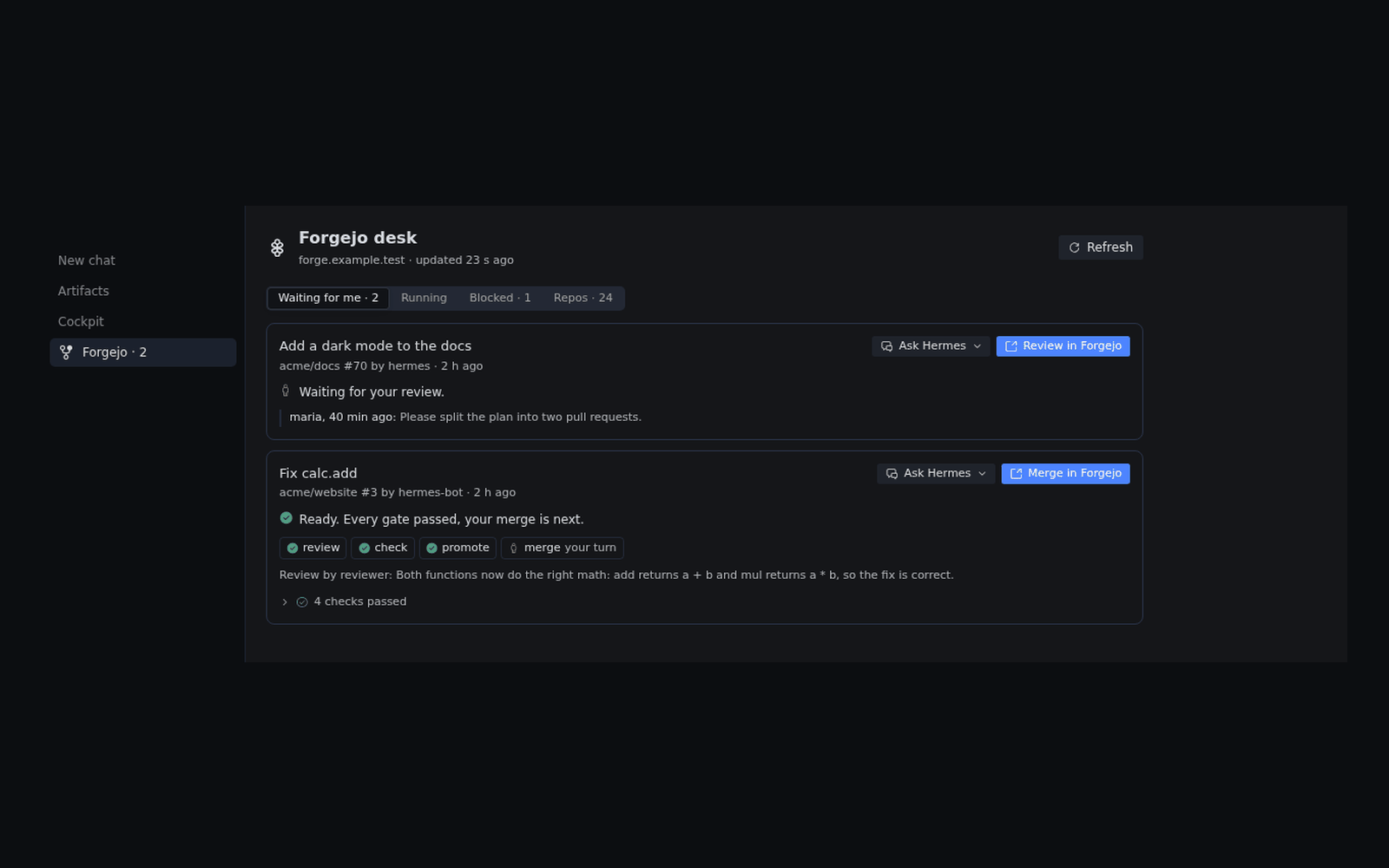
The Forgebrücke desk in Hermes Desktop: a list of pull requests that wait for you, each with its state in one sentence.

What it does

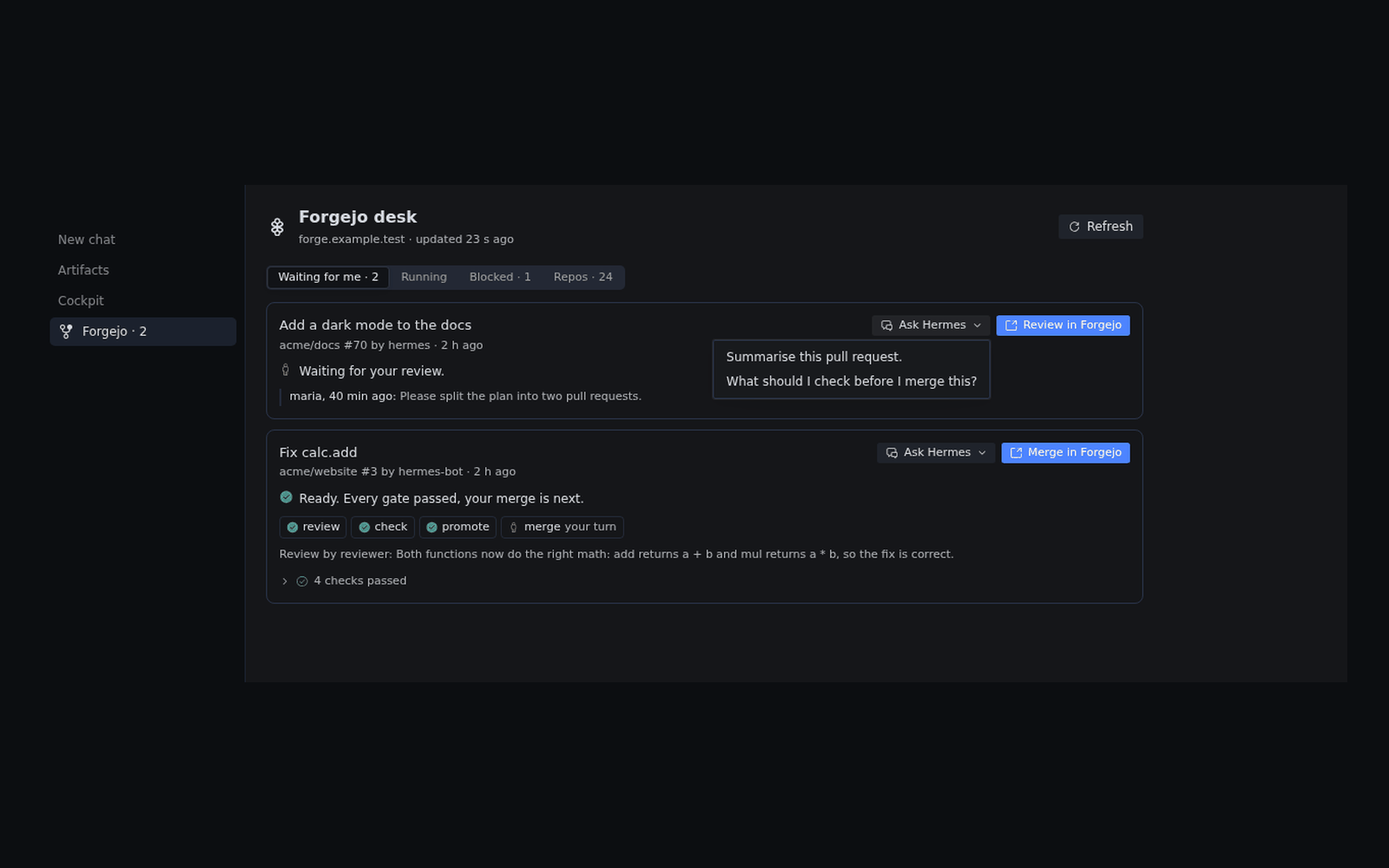
The Forgejo desk with two pull requests waiting, each with its state in one sentence, and the Ask Hermes menu open on the first.

A desk for what waits for you

The pull requests that wait for you, each with its state in one sentence. In Hermes Desktop, or with hermes forgebruecke desk in a terminal.
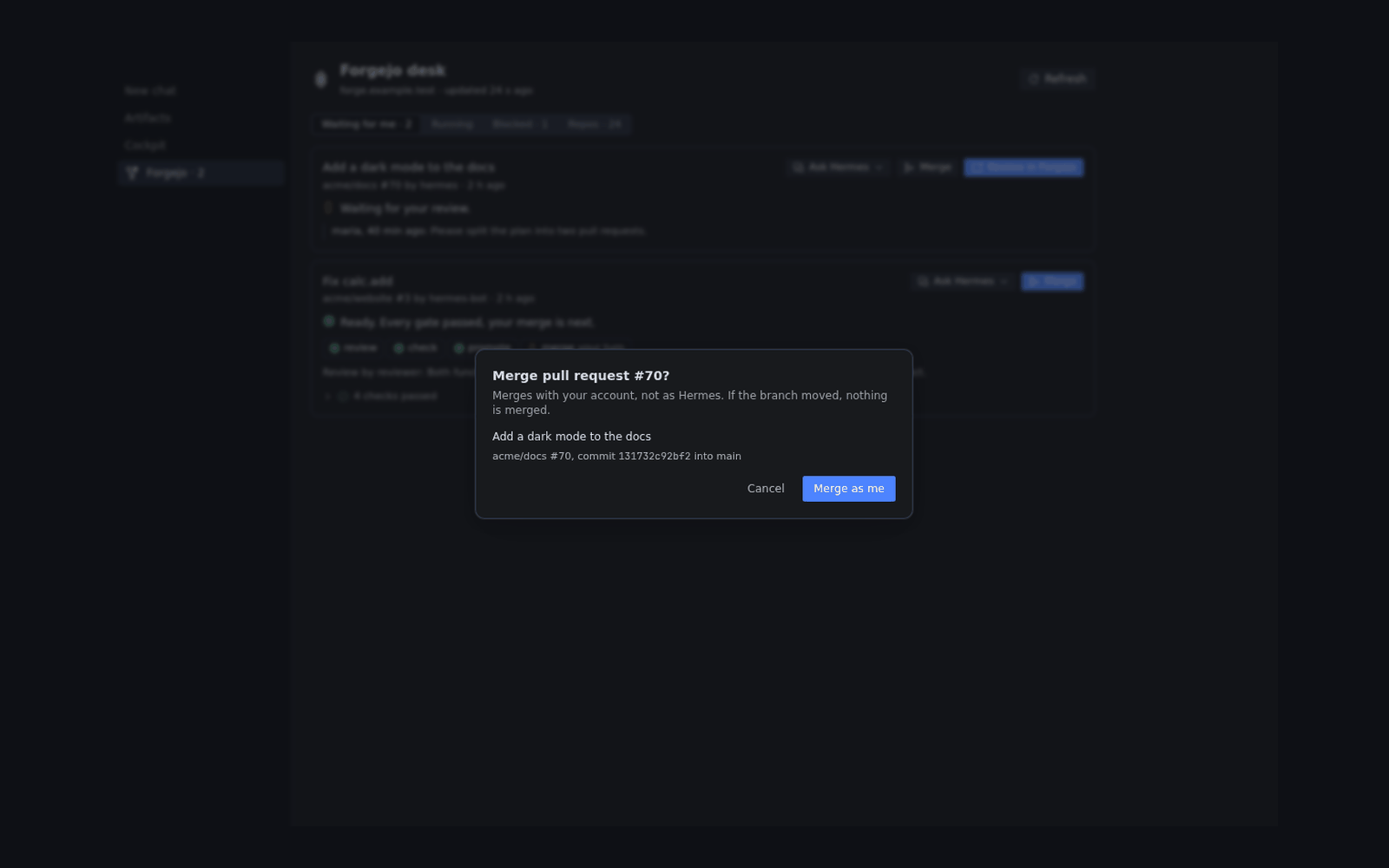
A confirmation before a merge: Merge pull request #70? It merges with your account, not as Hermes, and merges nothing if the branch moved.

Writes you approve

Comments, pull requests and checks, each shown to you first. Hermes works as its own Forgejo account, so Forgejo decides where it may write.

A Hermes reply with Forgebrücke receipts: each claim about the forge marked with a tick after it was checked against Forgejo.

Receipts for every claim

When a reply says pushed, opened or merged, Forgebrücke checks it against Forgejo and marks it ✓ or ❌. A claim that Forgejo does not confirm gets the ❌.
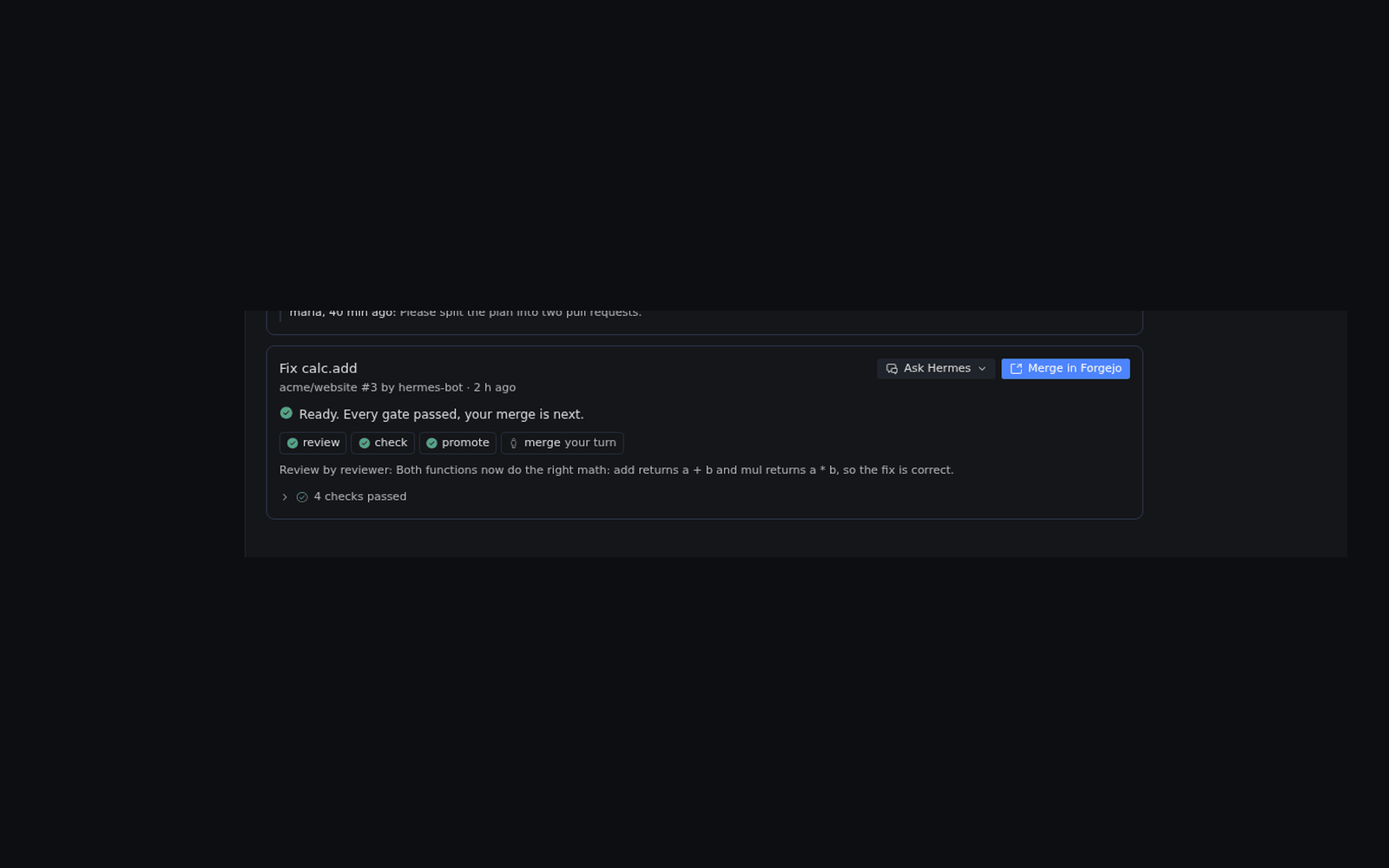
A pull request on the desk whose flow passed the review, check and promote gates, with the merge gate waiting for you.

Flows that end with you

A small file per repo: agent review, checks, optional staging, then you. Nothing approves or merges main, so the merge stays yours.

Safe by design

What it touches

  • Your Forgejo, polled on the interval you set.
  • Only the repos where Hermes' own Forgejo account has access.
  • Its own data folder in your Hermes profile.

What asks first

  • Every comment, pull request, check and repo change the agent makes. A new setup only previews writes.
  • Any tool call that would edit the profile's settings or secrets, or this plugin's files.

What leaves your machine

  • Requests go only to your Forgejo. No telemetry, no hosted service.

Disclosures, as written in the README

Network
Only your Forgejo, polled on your interval. The doctor also reads its /swagger.v1.json.
Credentials
Two tokens in your profile's .env, written by Hermes' settings. Any agent shell on that host can read them. The plugin never reads FORGEJO_TOKEN or another tool's token.
Writes without a card
Review requests to you (review_every_pr). A flow you wrote posts checks, one status comment per pull request and notify comments. None of them with dry_run on.
Unattended agent turns
A mention by someone with write access starts a turn without you. The turn reads only its thread's repo and cannot write through tools. Issue and comment text is untrusted input.
Background processes
A flow's review gate starts a Hermes chat run, at most two at once. Each gets a minimal environment and no access to Forgejo.
Also
No telemetry, no hosted service.

Quick start

  1. Install it where Hermes runs.

    hermes plugins install https://github.com/studioluftbruecke/hermes-forgebruecke --enable

    Hermes on a server and Desktop on your laptop? Install it on the server as above, and on the Desktop computer with:

    hermes plugins install https://github.com/studioluftbruecke/hermes-forgebruecke
  2. Create a Forgejo account for Hermes, add it to your repos as a collaborator, and create its token.

  3. In Hermes Desktop, open Settings → Plugins → Forgebrücke and enter your Forgejo address and that token.

Questions

What do I need?

Hermes 0.23.0 or newer and a self-hosted Forgejo. Gitea works where its API matches.

Why does Hermes need its own Forgejo account?

So Forgejo decides where Hermes may read and write. Hermes sees only the repos you add its account to, and every comment shows who wrote it.

Can Hermes merge into main?

No. Nothing approves or merges main. A flow can merge only into an unprotected branch you named, such as staging.

Does it work without Hermes Desktop?

Yes. Ask about issues and pull requests in any Hermes chat, and run hermes forgebruecke desk or hermes forgebruecke doctor in a terminal. The desk page needs Desktop.

What leaves my machine?

Requests to your Forgejo only. What the tools read reaches your model provider like any tool result. There is no telemetry.

How do I update?

Run hermes plugins update forgebruecke, then start a new chat. On a server, update there and on the Desktop computer, then switch Agent in <profile> off and on in Capabilities → Plugins.

How do I uninstall?

Run hermes plugins remove forgebruecke, and revoke Hermes' Forgejo token in Forgejo.

What licence is it under, and where do I get help?

MIT. Start with hermes forgebruecke doctor: its last line names the next step. If that does not help, open an issue on GitHub.

Build it with us

Forgebrücke is open source under MIT. Issues, ideas and pull requests are welcome on GitHub.
The other bridges